
The video editor is available in Fig on the web. Open a video from your
Library or start from one Fig generates for you.
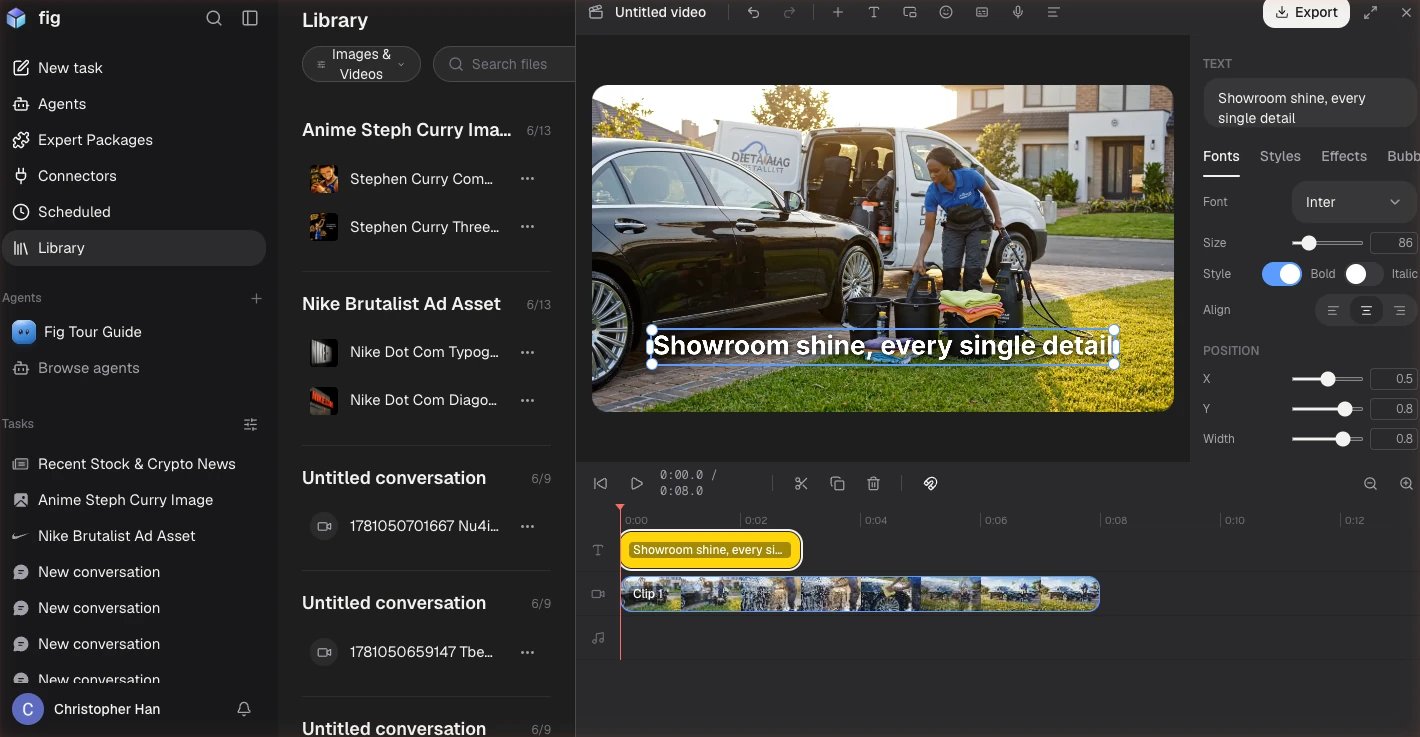
The video editor — a timeline with text, video, and audio tracks, and a caption on the clip.
What you can do
- Build a timeline — combine multiple clips, trim them, and add transitions between them.
- Add captions automatically — Fig listens to your video and generates captions for you, so it’s ready for sound-off viewing.
- Add a voiceover — record or generate narration over your video.
- Layer things on — picture-in-picture, stickers, and text directly on the canvas.
- Clean it up — remove silent gaps automatically, and fill empty space with a blurred background.
- Fine-tune — keyframes and an audio waveform give you precise control when you want it.