
The image editor is available in Fig on the web. Open any image from your
Library and choose Open in editor.
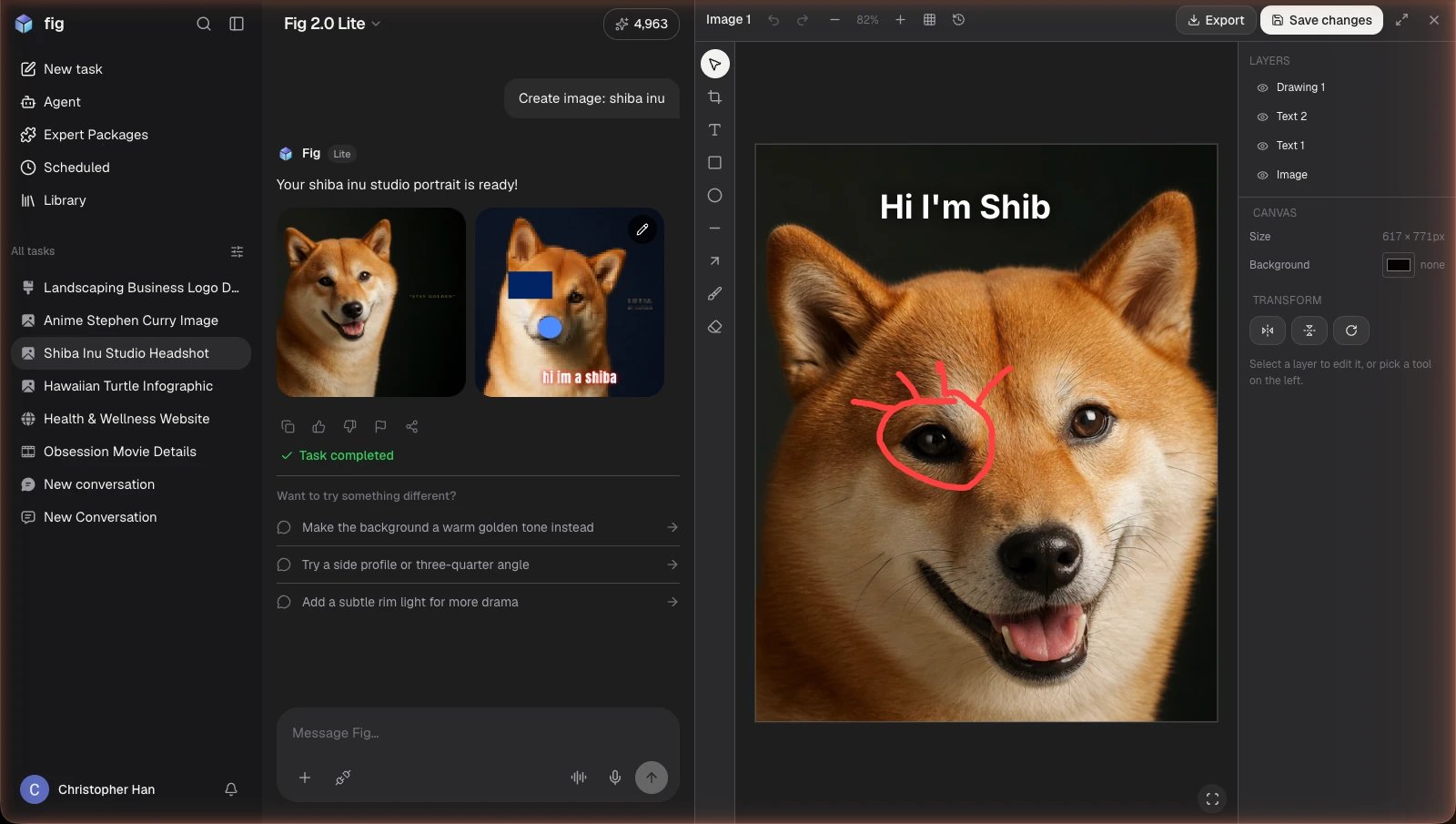
The image editor — a canvas with layers, adjustments, and AI touch-ups.
What you can do
- Filters & adjustments — apply one-tap filter presets, or fine-tune brightness, contrast, and more with adjustment sliders.
- Text & effects — add and style text for posters, posts, and thumbnails, with a dedicated text panel for precise control.
- AI touch-ups — remove an image’s background or upscale it to higher quality with one tap.
- Magic layers — split an image into its subject and background automatically, or break each block of text into its own layer, so you can move and restyle pieces independently.
- Layers — stack images and text and arrange them however you like.
- Undo / redo — experiment freely; every step can be undone, and your edits save in place.