
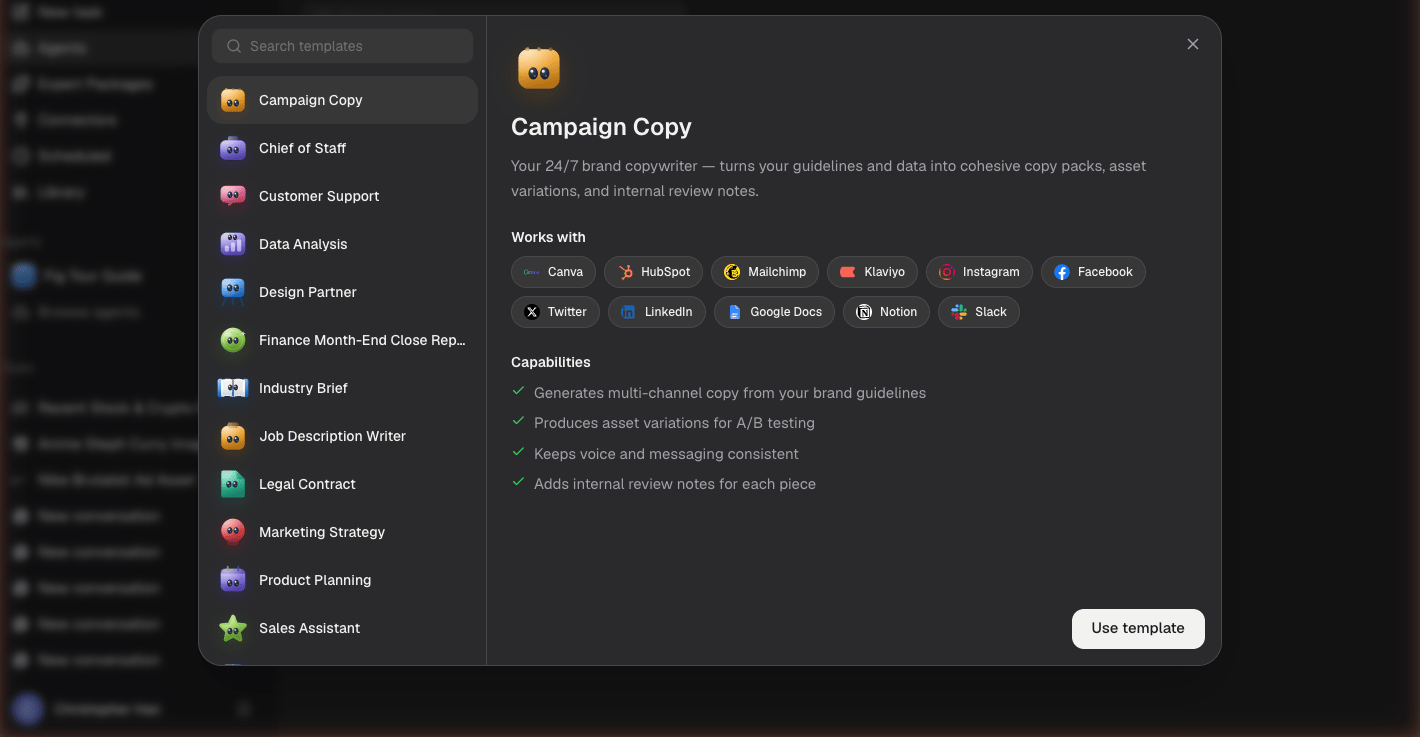
Start from a ready-made agent in the library, or build your own.
What makes a Super Agent
Each agent you create can have its own:- Name and personality — how it talks and what it focuses on
- Instructions — standing guidance it follows every time
- Expert packages — skills that give it specialties
- Connected apps — the tools it’s allowed to use
Creating one
1
Open Super Agents
Go to the Super Agents section and choose to create a new agent.
2
Describe its job
Give it a name and tell it what it’s for. Fig helps fill in a starter setup —
instructions, suggested packages, and example prompts — which you can edit.
3
Put it to work
Chat with your new agent directly, and your main Fig can even hand tasks off to
it when they fit.
Browsing the library
There’s a growing library of ready-made agents and packages you can start from, so you don’t have to build every agent from scratch.Want Fig to remember facts about you across all of this? See
Personalize Fig.