
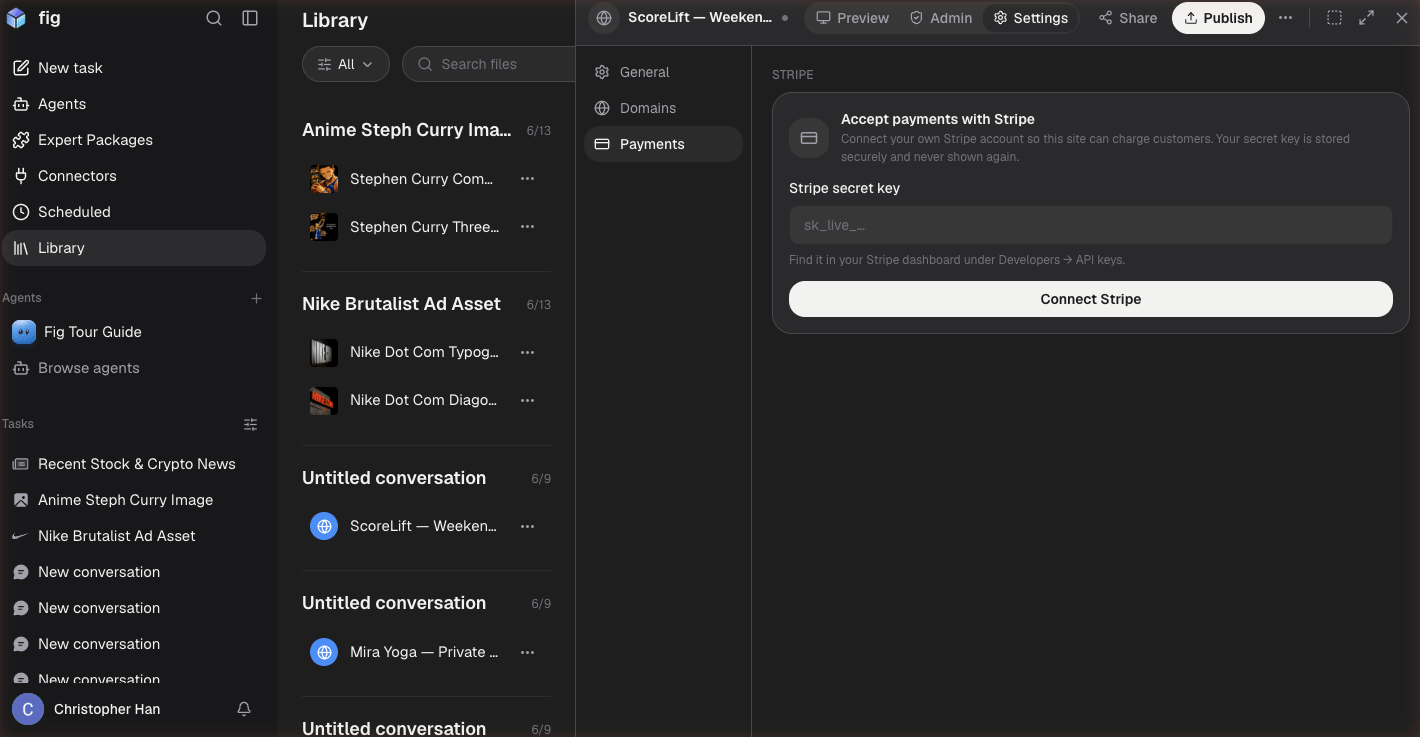
Connect your Stripe account from your website's Payments settings.
How it works
You connect your Stripe account once, and from then on Fig can set up the payment pieces your site needs:- Payment links — a checkout for a product, service, or booking
- Behind-the-scenes wiring — Fig registers what’s needed so payments and confirmations flow correctly
Setting it up
1
Connect Stripe
In your website’s settings, choose to connect Stripe and sign in to your Stripe
account.
2
Tell Fig what to sell
Describe what you want to charge for — “add a 15” — and Fig sets up the checkout.
3
Publish
Publish your site and start taking payments.
Don’t have a Stripe account yet? You can create one for free at
stripe.com, then connect it to Fig.