
hellofig.app web address — so you can share it with anyone
right away, at no cost.
Fig never publishes without checking with you first. When a site is ready to go
live, Fig asks for your approval in the chat — nothing goes public until you
say so.
Publish your site
1
Open your site's settings
From your website, go to the General tab. You’ll see its publish status —
a new site starts as Not published.
2
Pick a domain and publish
Tap Pick domain and publish, choose a free
hellofig.app address, and
confirm. Fig puts your site online and your address is ready to share.Publishing happens in the background — Fig sends you a notification the moment
your site is live, so you don’t have to wait and watch.
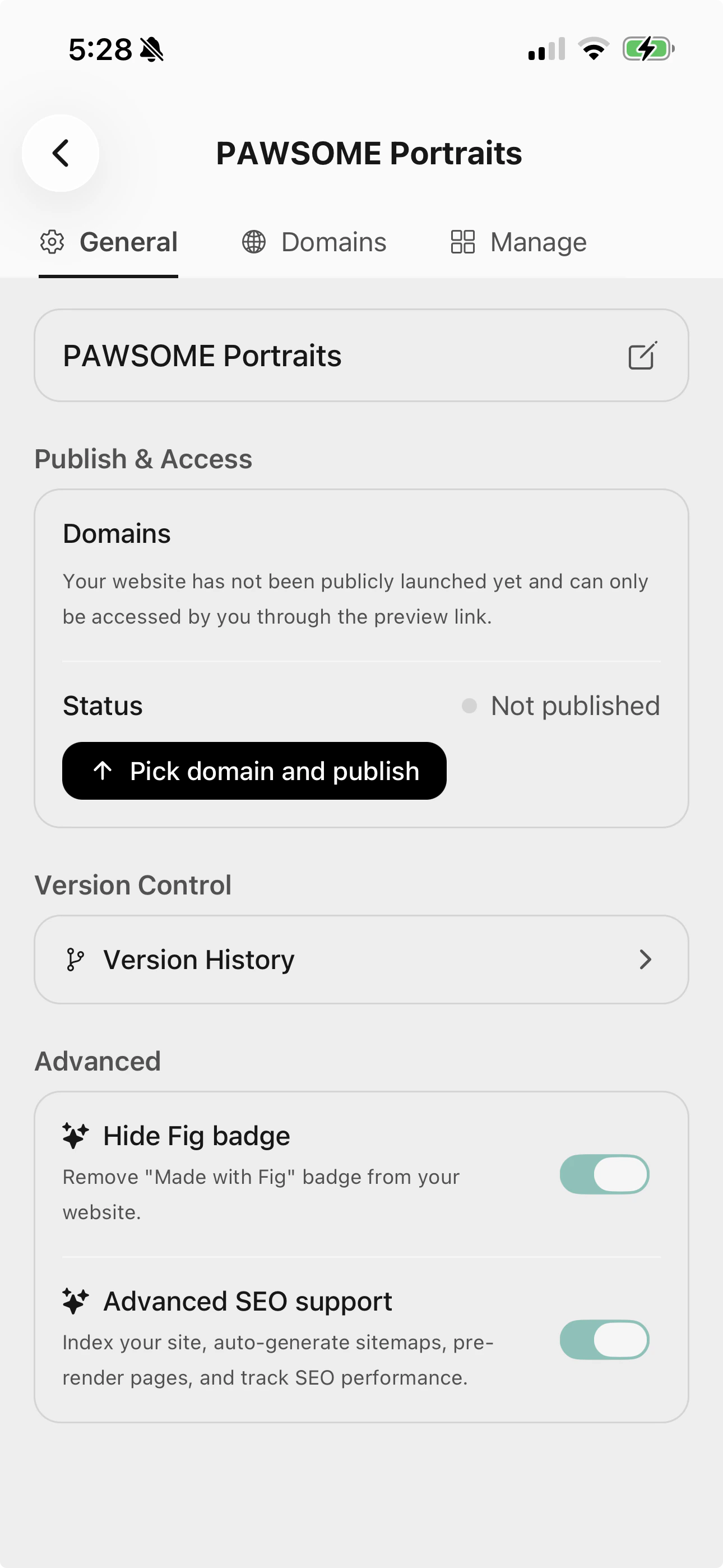
Your site's General settings, where you publish and manage access.
Changed your mind? You can unpublish at any time to take your site offline.
What’s next
Custom domains
Use your own web address, like yourbusiness.com.
Advanced settings
SEO, the Fig badge, and version history.