
1. Get Fig
You can use Fig on your phone or in your web browser — your projects stay in sync across both.Download on the App Store
For iPhone and iPad.
Get it on Google Play
For Android phones and tablets.
2. Create your account
1
Open Fig
Launch the app on your phone, or open Fig in your browser.
2
Sign up
Create an account with your email, or continue with Apple or Google. It only
takes a moment.
3
Tell Fig a little about you
Answer a couple of quick questions so Fig can tailor what it builds to you and
your business.
3. Start your first project
From the home screen, just tell Fig what you want — type it into Ask Fig, or tap a quick action like Build website, Create slide, or Create image to get started. Not sure where to begin? Try one of these:- “Build a website for my coffee shop.”
- “Create a simple flyer for a weekend sale.”
- “Help me write a welcome email to new customers.”
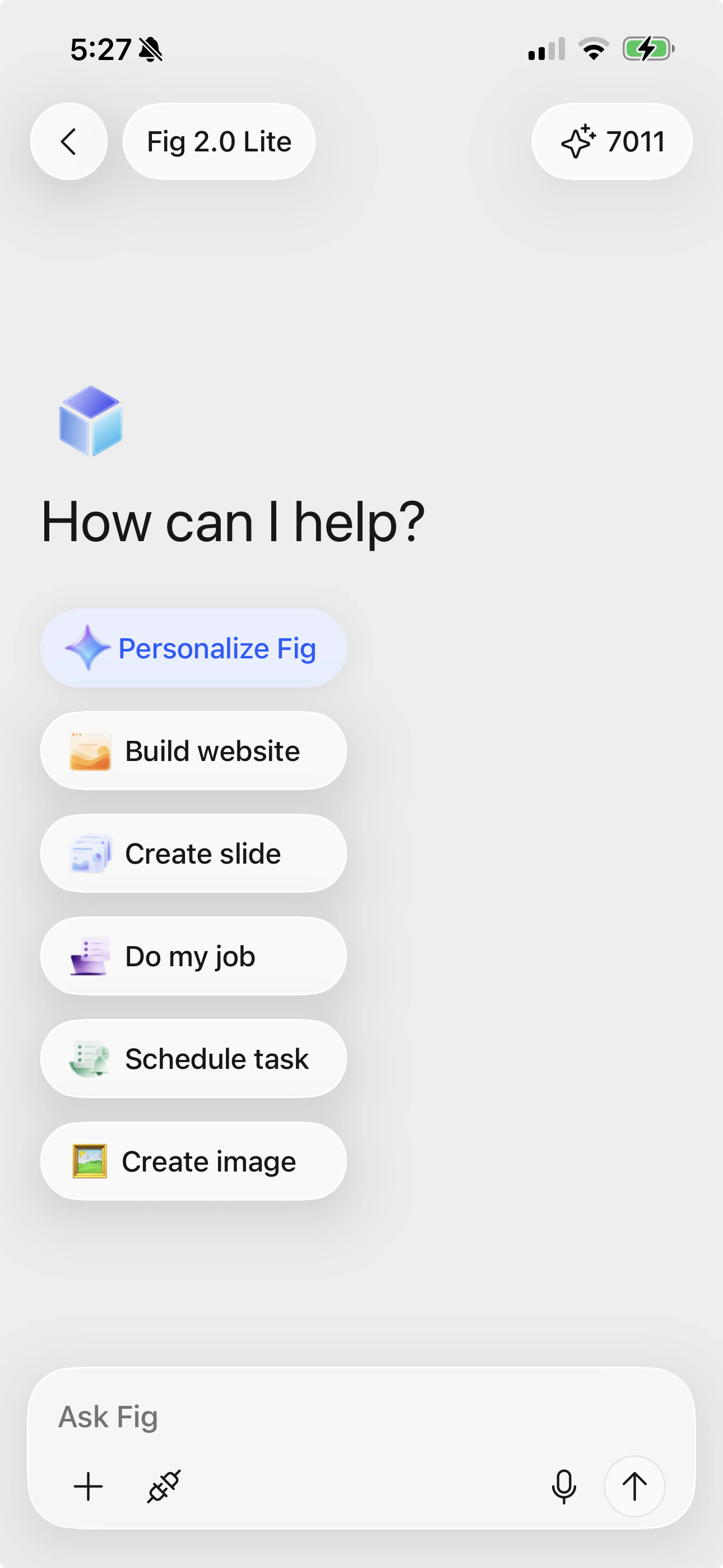
The home screen — tap a quick action or just ask Fig for what you want.
4. Watch Fig work
Once you send your request, Fig gets to work. You’ll see its progress as it plans and builds — no need to do anything while it works. This can take a little time for bigger projects, and that’s normal.5. Review, refine, and publish
When Fig is done, take a look at the result. If something isn’t quite right, just tell Fig what to change — for example, “Make the heading bigger” or “Use a warmer color.” When you’re happy, you can publish or share your project.Everything you create is saved automatically in your Library,
so you can always come back to it later.
Next steps
Chatting with Fig
Get the most out of Fig with a few simple tips.
Website builder
Build a website and put it live on the web.