> ## Documentation Index
> Fetch the complete documentation index at: https://help.hellofig.io/llms.txt
> Use this file to discover all available pages before exploring further.
# Custom domains
> Give your website your own web address with a custom domain.
A **custom domain** is your own web address — like `yourbusiness.com` — instead of
the free `hellofig.app` one. It makes your business look more professional and
easier to remember.
## Why it's worth it
* **Builds trust** with your visitors
* **Strengthens your brand** with a name that's truly yours
* **Helps people find you** and discover your business online
## Adding a domain
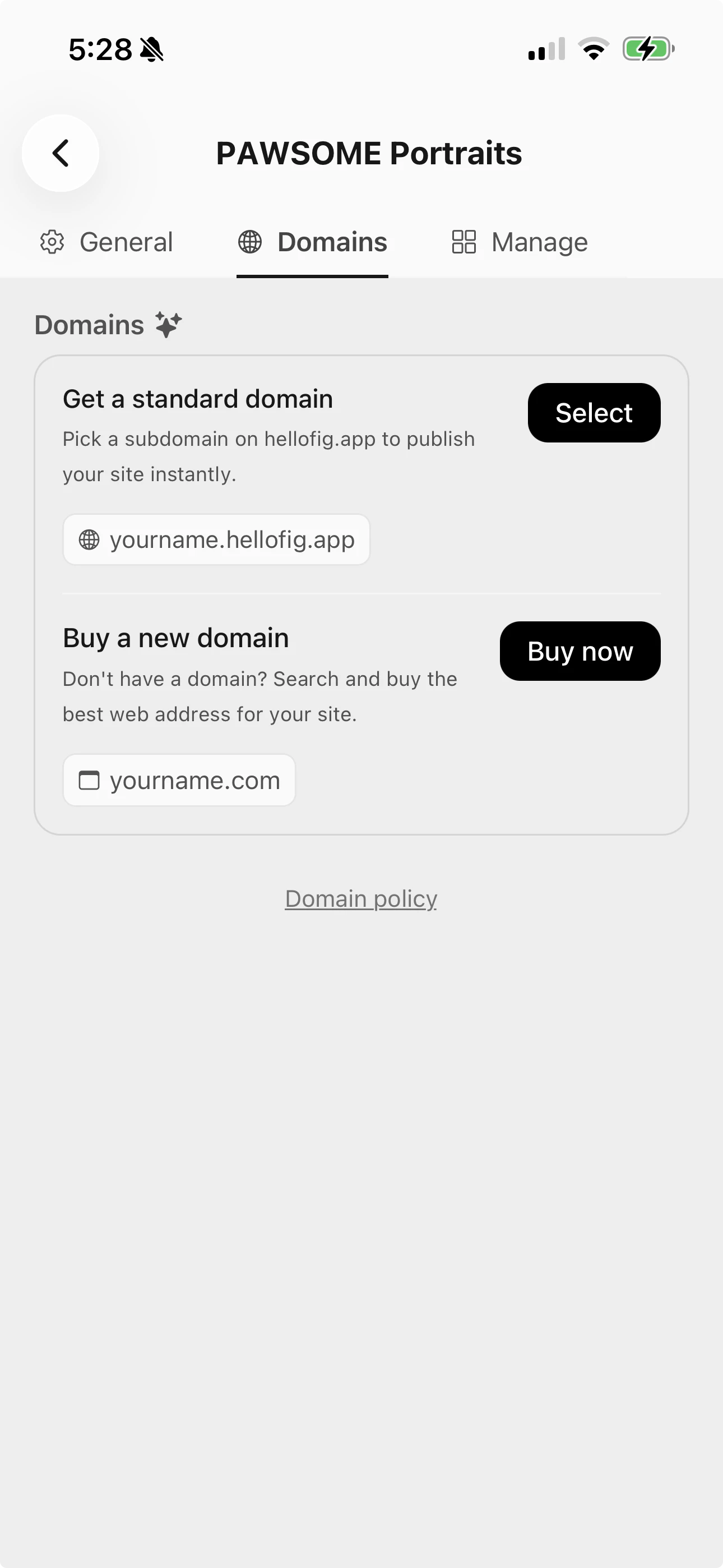
In the **Domains** tab you have two choices:
* **Get a standard domain** — pick a free `hellofig.app` subdomain to publish your
site instantly.
* **Buy a new domain** — search for the perfect web address (like `yourbusiness.com`)
and buy it right inside Fig, then publish your site to it.
Buying a custom domain is part of [Fig Premium](/plans-and-pricing).
 After you set up a custom domain, it can take a few minutes to go live while
everything connects behind the scenes. That's normal — Fig handles the technical
parts for you.
After you set up a custom domain, it can take a few minutes to go live while
everything connects behind the scenes. That's normal — Fig handles the technical
parts for you.