> ## Documentation Index
> Fetch the complete documentation index at: https://help.hellofig.io/llms.txt
> Use this file to discover all available pages before exploring further.
# Research
> Have Fig look things up across the web and turn the findings into something useful.
Fig doesn't just make things — it can **go find out** for you. Ask it to research
a topic and it reads across the web, pulls together what matters, and hands you the
result in whatever form is most useful.
## Quick start
Describe what you want to know — and, if you like, what you want at the end:
```text theme={null}
Research the best-selling reusable water bottles right now and summarize what makes
them popular.
```
```text theme={null}
Look into home-coffee-equipment trends for 2026, then turn it into a one-page summary
and a short slide deck.
```
## What Fig does
* **Reads the web** — Fig gathers information from across multiple sources.
* **Sorts the signal from the noise** — it distills findings into the points that
matter.
* **Delivers it your way** — a written summary, a [slide deck](/features/slides), a
[PDF](/features/what-you-can-build), or just an answer in the chat.
## Deep research
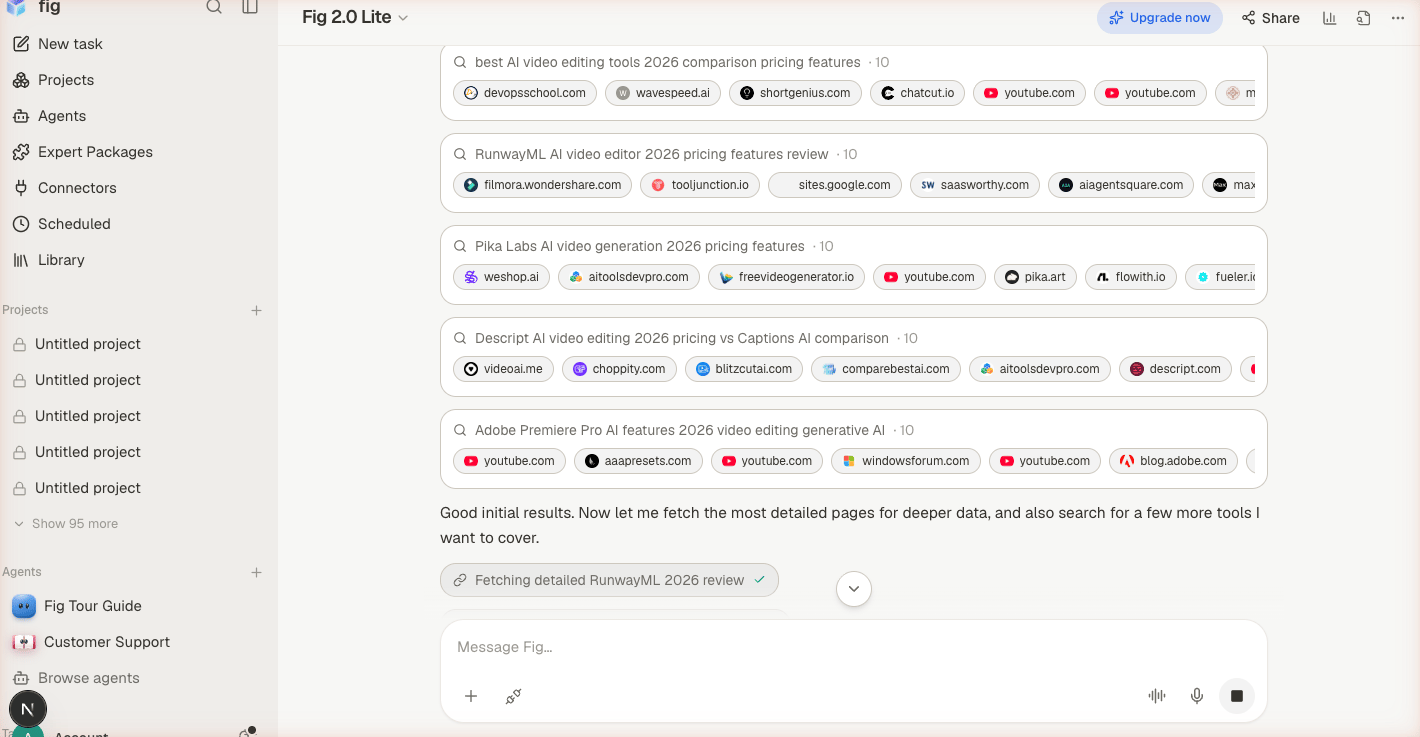
For bigger questions, Fig can run **deep research** — it splits the work across
several helpers that look into different angles at the same time, then combines
everything into a single, well-organized answer that **cites its sources**. You get
the depth of a thorough review without the wait of doing it one step at a time.
This is great for questions like "compare the top five tools in my industry" or
"give me a briefing on this market" — where one quick search isn't enough.
 Tell Fig what the research is *for* — "to choose a supplier," "for a blog post,"
"to brief my team." It shapes what Fig focuses on and how it presents the answer.
Tell Fig what the research is *for* — "to choose a supplier," "for a blog post,"
"to brief my team." It shapes what Fig focuses on and how it presents the answer.